PC Monitors
Dell UltraSharp U3224KB — 32" 6K IPS Black, Thunderbolt 4 (2026)
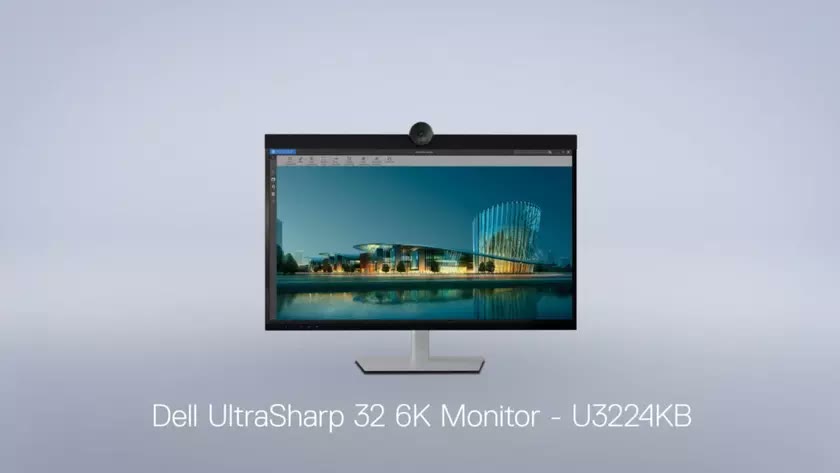
source: gagadget.com, converted WebP→JPEG
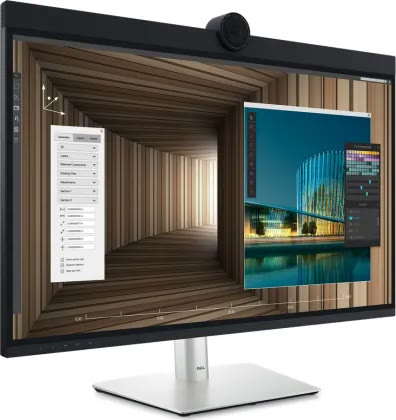
source: smartprix.com, converted WebP→JPEG
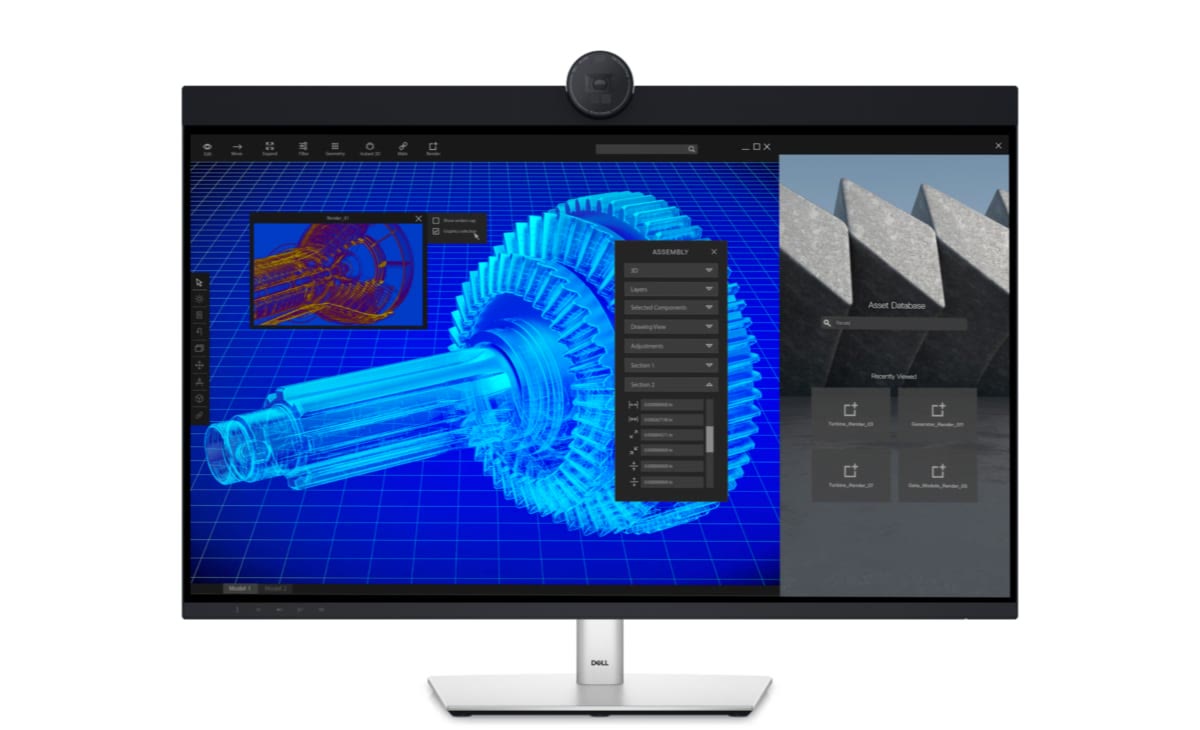
source: flatpanelshd.com
Community verdict
If text sharpness is your religion, nothing else here touches 6K at 223 PPI — the MacRumors thread is full of converts. The community's verdict is love-the-panel, tolerate-the-quirks: half-green wake bugs, M1/M2 DSC workarounds, and a webcam forehead. At refurb ~$1,500–2,100 it's the deal; at $3,200 it's a commitment.
Key sources:
- https://forums.macrumors.com/threads/dell-6k-u3224kb-monitor.2387515/page-37
- https://forums.macrumors.com/threads/dell-6k-u3224kb-monitor.2387515/page-47?post=33870097
- https://www.wells.dev/dell-ultrasharp-u3224kb-squandered-potential/
- https://www.pcworld.com/article/1815061/dell-ultrasharp-u3224kb-review.html
- https://fstoppers.com/gear/dell-ultrasharp-u3224kb-review-6k-powerhouse-creators-716398
Price
| Size | MSRP | Current street (observed 2026-09-20) |
|---|---|---|
| 32" (31.5") | ~$3,199 list; retailer MSRP claims $2,620–3,125 | Dell/Amazon discussion ~$2,399–2,815; sale sightings $2,307–2,526; refurb lows reportedly ~$1,500–2,100 — all dated/conflicting; recheck live |
- Pricing is the messiest in this guide — Dell's own pricing moves, retailer MSRPs conflict, and refurb units undercut everything. Treat every number above as approximate.
The full dossier
Research date: 2026-09-20. Prices and claims dated below; re-verify live before purchase.
1. Overview
The Dell UltraSharp U3224KB is the sharpest text monitor in this guide: 31.5" 6K (6144×3456) IPS Black at ~223 PPI, HDR600, 99% DCI-P3, Thunderbolt 4 with 140W EPR PD, a full hub (KVM, 2.5GbE, front USB-C ports), and a built-in 4K webcam with microphones and 2×14W speakers. It's the closest thing to an Apple Studio Display XDR for people who want 6K text, a big hub, and Windows compatibility.
2. Social standing
Platforms: MacRumors owner thread (verbatim quotes below — the deepest U3224KB discussion anywhere), wells.dev deep-dive ("squandered potential"), PCWorld review, fstoppers review. Threads/Facebook/Instagram surface was essentially empty — real discussion lives on MacRumors and r/Monitors.
- Praised (verbatim MacRumors owner): "For me it is like night and day - text is a lot sharper with 6K." Extremely sharp text, cross-platform hub, matte screen, and the most complete single-cable dock in the guide.
- Damned: the bug list is real — half-green screen after Mac wake; older M1/M2 Mac DSC/30-bit-color quirks requiring 6016×3384 or the BetterDisplay workaround; webcam too bright by default; Dell software disliked; one later owner reported upper-corner backlight failure.
- The wells.dev verdict ("squandered potential") is the community's love-hate summary: brilliant panel, software/firmware rough edges.
- Weaknesses beyond bugs: 60Hz; weak HDR/contrast vs. OLED/Mini-LED; price; the large webcam "forehead" bezel.
Consensus verdict: the text-sharpness king — nothing else in this guide renders fonts like 223 PPI. But it's a monitor you buy with your eyes open about Mac quirks and Dell's software.
3. Key specs table
| Spec | Dell UltraSharp U3224KB | Source |
|---|---|---|
| Panel | 31.5" IPS Black, 2000:1 contrast | Dell spec |
| Resolution / refresh | 6144×3456 (6K) @ 60Hz, ~223 PPI | Dell spec |
| HDR | DisplayHDR 600 | Dell spec |
| Color | 99% DCI-P3 | Dell spec |
| Ports | Thunderbolt 4 (140W EPR PD), HDMI, DP, extensive USB hub, 2.5GbE, KVM | Dell spec |
| Webcam/audio | Built-in 4K webcam, mics, 2× 14W speakers | Dell spec |
| Warranty | 3-year Dell Advanced Exchange (typical — UNVERIFIED on card) | Dell norms |
UNVERIFIED: exact 2026-09-20 US street price (conflicting $2,399–2,815 / MSRP $2,620–3,125); Mac wake-bug status on current firmware.
4. Pricing
| Size | MSRP | Current street (observed 2026-09-20) |
|---|---|---|
| 32" (31.5") | ~$3,199 list; retailer MSRP claims $2,620–3,125 | Dell/Amazon discussion ~$2,399–2,815; sale sightings $2,307–2,526; refurb lows reportedly ~$1,500–2,100 — all dated/conflicting; recheck live |
- Pricing is the messiest in this guide — Dell's own pricing moves, retailer MSRPs conflict, and refurb units undercut everything. Treat every number above as approximate.
5. What's included / what's needed
- In the box: Thunderbolt 4 cable, power cable, webcam shutter (UNVERIFIED specifics — recheck listing).
- Need separately: nothing for docking — 140W charges any MacBook; M1/M2 Mac users may need BetterDisplay for full 6K quirks.
6. Support reality
- Warranty: Dell's 3-year Advanced Exchange is the norm (UNVERIFIED on this card — confirm at purchase).
- The Mac thread is the support reality: the green-screen-on-wake and DSC quirks are forum-documented; Dell firmware updates have been slow relative to owner expectations. Buy where you can return easily.
7. Community verdict
If text sharpness is your religion, nothing else here touches 6K at 223 PPI — the MacRumors thread is full of converts. The community's verdict is love-the-panel, tolerate-the-quirks: half-green wake bugs, M1/M2 DSC workarounds, and a webcam forehead. At refurb ~$1,500–2,100 it's the deal; at $3,200 it's a commitment.
Key sources:
- https://forums.macrumors.com/threads/dell-6k-u3224kb-monitor.2387515/page-37
- https://forums.macrumors.com/threads/dell-6k-u3224kb-monitor.2387515/page-47?post=33870097
- https://www.wells.dev/dell-ultrasharp-u3224kb-squandered-potential/
- https://www.pcworld.com/article/1815061/dell-ultrasharp-u3224kb-review.html
- https://fstoppers.com/gear/dell-ultrasharp-u3224kb-review-6k-powerhouse-creators-716398
Images
Gathered 2026-09-20 (all HEAD-verified, exact model).
monitor-dell-u3224kb-1.jpg— product shot (source: gagadget.com, converted WebP→JPEG)monitor-dell-u3224kb-2.jpg— product listing shot (source: smartprix.com, converted WebP→JPEG)monitor-dell-u3224kb-3.jpg— press shot (source: flatpanelshd.com)- Substitution disclosed: Dell's official CDN image 403'd on fetch despite 200 HEAD; press/listing shots used instead.
The review
Dell UltraSharp U3224KB Review
The sharpest text in this guide, attached to the quirkiest monitor in this guide.
The Dell UltraSharp U3224KB is the resolution king: 31.5" 6K (6144×3456) IPS Black at ~223 PPI, HDR600, 99% DCI-P3, Thunderbolt 4 with 140W EPR power delivery, a full hub (KVM, 2.5GbE Ethernet, front USB-C ports), and a built-in 4K webcam with microphones and 2×14W speakers. It's the closest thing to an Apple Studio Display for people who want 6K text, a big dock, and Windows compatibility. Nothing else in this guide renders fonts like 223 PPI. A MacRumors owner put it plainly: "For me it is like night and day - text is a lot sharper with 6K." That quote is the whole pitch.
What's genuinely good: the text. At 223 PPI, fonts stop being pixels and start being print — for writers, coders, and timeline workers, this is the single biggest quality-of-life upgrade a monitor can offer. The dock is the most complete in the guide: 140W charges any MacBook over one cable, 2.5GbE Ethernet, front-facing USB-C ports you can actually reach, KVM. The matte screen kills reflections. And it's cross-platform in a way the Apple displays aren't — Windows users get the full 6K without workarounds.
What's actually wrong: the bug list is real, and the MacRumors owner thread — the deepest U3224KB discussion anywhere — documents it. Half-green screen after Mac wake. Older M1/M2 Mac DSC and 30-bit-color quirks requiring workarounds (dropping to 6016×3384 or using BetterDisplay). The webcam runs too bright by default. Dell's software is disliked — owners report the management app as the weakest link in an otherwise strong hub story. One later owner reported upper-corner backlight failure. The wells.dev deep-dive titled its verdict "squandered potential," and that's the community's love-hate summary in two words: brilliant panel, software and firmware rough edges, Dell's firmware updates slow relative to owner expectations. Beyond the bugs: 60Hz, weak HDR and contrast next to OLED or Mini-LED, and a large webcam "forehead" bezel that some owners never stop noticing.
Who should skip it: anyone who wants a monitor that just works out of the box — this one needs patience, workarounds, and a tolerance for Dell's software. M1/M2 Mac owners should read the DSC workaround threads before buying, not after. Gamers and HDR enthusiasts are in the wrong aisle entirely. And anyone paying $3,200 for it new when refurb units exist — more on that below.
The social pulse, in one paragraph: love-the-panel, tolerate-the-quirks. The MacRumors thread is full of converts who accepted the workarounds and never looked back, plus a steady trickle of owners documenting each new quirk. Threads, Facebook groups, and Instagram are empty for monitors — the real discussion lives on MacRumors, r/Monitors, and the review sites (PCWorld, fstoppers, wells.dev). There's no hype wave; there's a long, detailed, slightly exasperated owner community, which is honestly the most trustworthy signal a quirky product can have.
Value call: pricing is the messiest in this guide — Dell's own pricing moves, retailer MSRP claims conflict ($2,620–3,125), discussion pricing sits $2,399–2,815, sale sightings hit $2,307–2,526, and refurb lows are reportedly ~$1,500–2,100. Treat every number as approximate and recheck live. The value call is simple: at refurb ~$1,500–2,100 it's the deal — 6K text for the price of a good 4K OLED. At $3,200 list it's a commitment, and you should be sure about the quirks first. Either way, buy where returns are easy: the green-screen wake bug is exactly the kind of issue you want to discover in week one, not month four.
If text sharpness is your religion, nothing else here touches it. Just buy it with your eyes open — and buy it refurbished.
Prices and claims observed 2026-09-20; re-verify live before purchase.