The Monitor Buying Guide: OLED vs Mini-LED vs Ultrawide in 2026
Prices and claims observed September 2026. Re-verify live before buying.
This site now covers 80 monitors — OLED, Mini-LED, ultrawide, 4K/5K productivity, and budget. The monitor market in 2026 is genuinely confusing: the same panel technology that wins on TVs doesn't always win on desks, and the spec sheet that matters for gaming is nearly the opposite of the one that matters for work. Here's the honest map.
OLED monitors: the enthusiast's choice, with caveats
OLED on a desk is glorious and annoying in the ways the dossiers document. The 2026 crop — ASUS ROG Swift PG27AQDP (27" 1440p 480Hz WOLED), the PG32UCDM-class 32" 4K 240Hz QD-OLEDs, LG's 32GX870A dual-mode (4K 240Hz / 1080p 480Hz), Gigabyte's FO27Q3 and MO27U2 — delivers what OLED always delivers: perfect blacks, instant response, no backlight blooming.
The caveats are desk-specific. Burn-in risk is real on a monitor in a way it isn't on a TV: static taskbars, IDE chrome, and spreadsheet grids are exactly the static content OLED hates. The warranty terms matter more than the panel — check who's actually covering burn-in before buying. Text clarity was the great OLED-monitor scandal: the non-standard subpixel layouts (RWBG on WOLED, triangular on QD-OLED) caused fringing on text, and the 2024–25 firmware sagas (Alienware's DW/DWF, the Cooler Master GP27U's troubled launch) are documented in the dossiers. The 2026 panels are better, but if your job is reading text 8 hours a day, an IPS or Mini-LED is still the safer pick.
Who OLED is for: gamers and HDR movie watchers who vary their content. Not for: full-time office workers with static windows.
Mini-LED monitors: the bright-room workhorse
Mini-LED (ASUS PG32UQX-class halo displays, the Innocn/Redmagic value plays, Acer's Predator Mini-LEDs) gives you LCD brightness with zone-dimmed contrast. No burn-in, no text fringing, and brightness that embarrasses OLED in a sunlit room. The tradeoff is blooming — bright cursors on dark backgrounds halo, and no amount of zones fully fixes it on a desk where you sit two feet away.
Who Mini-LED is for: the bright home office, the HDR-curious who fear burn-in, the "one monitor for work and play" buyer.
Ultrawide: the productivity cheat code
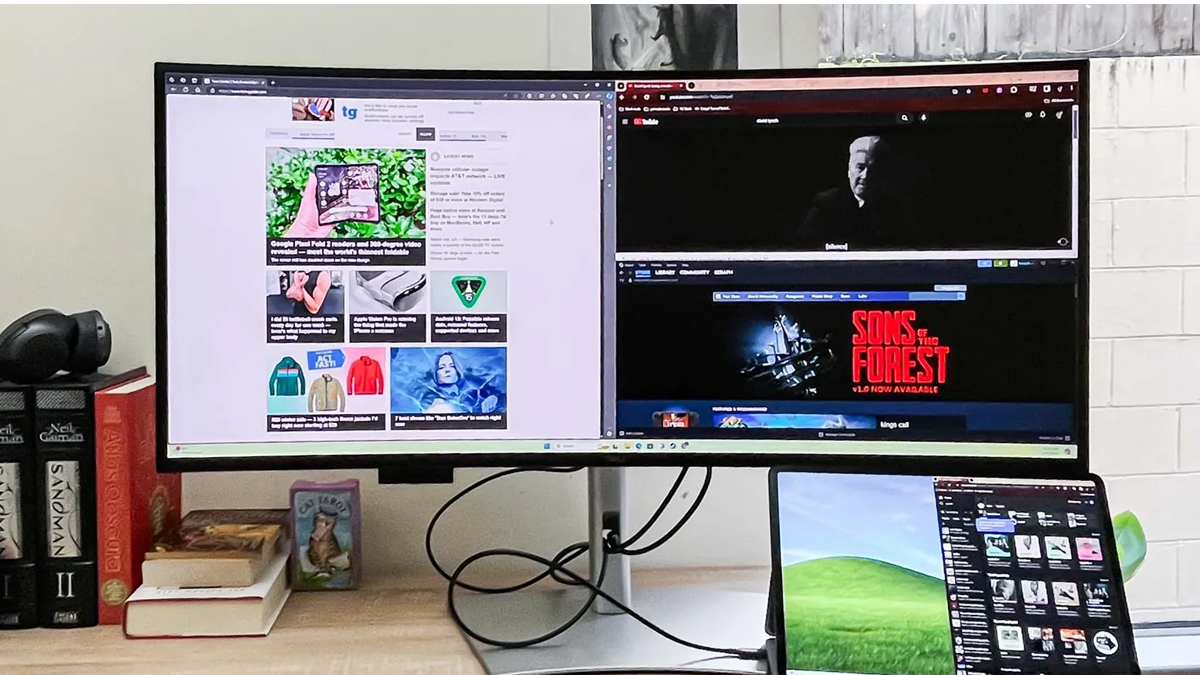
34–49" ultrawides (Samsung's Odyssey G9/G8/G6, LG's 34/39/45" UltraGear OLED ultrawides, the Dell/Alienware AW3425DW, MSI's MPG 341CQPX) replace dual monitors with one seamless panel. For timeline work, code, trading, and sim racing/flight sims, they're transformative. For everything else, they're a compromise: worse pixel density per dollar than 4K 16:9, awkward for console gaming, and the 49" super-ultrawides demand a deep desk.
The 2026 sweet spot: 34" 1440p ultrawide OLED (Alienware AW3425DW-class) for mixed gaming/productivity; 39–45" for the committed multitasker.
4K/5K productivity: the text-first pick
Dell's U4025QW (40" 5K2K curved), the U3225QE/U2725QE 4K IPS Black panels, LG's 27UP850N-class, BenQ's PD3225U — these are the monitors for people who read for a living. IPS Black fixed the traditional IPS contrast complaint (roughly 2,000:1 vs the old 1,000:1). High PPI, factory calibration, USB-C power delivery with 90W+ for a one-cable laptop dock. Boring in the best way.
Trap preserved from v1: the Dell U4025QW dossier carries a truncation disclosure — part of its research file was cut short, and the page says so rather than pretending otherwise.
Budget monitors: the honest floor
The 16 budget monitors (KTC, KOORUI, Sceptre, ASRock Phantom Gaming value lines, Gigabyte GS-series) prove the floor has risen: 27" 1440p 165–180Hz IPS for ~$150–200 is real in 2026. What's stripped: speakers (the Gigabyte GS27Q has none — the dossier says so), HDR (a checkbox, not a feature), stands (plan on a VESA arm), and QC consistency. The KOORUI 27E1QA is VA/144Hz, not the IPS/165Hz some listings claim — the dossier documents the correction.
The decision tree
1. Gaming first, varied content? OLED — 27" 1440p 360–480Hz for esports, 32" 4K 240Hz for immersive. 2. Work first, text 8 hours a day? 4K IPS/IPS Black productivity, or Mini-LED if the room is bright. Not OLED. 3. One monitor to replace two? 34" ultrawide minimum; 38–45" if the desk is deep enough. 4. Tight budget? 27" 1440p 165Hz+ IPS from the budget list — the price-to-performance king of 2026.
Traps
- "1ms" claims. GtG numbers are measured under vendor-favorable overdrive settings. OLED's response is genuinely near-instant; LCD "1ms" usually isn't.
- HDR400 vs real HDR. DisplayHDR 400 is a brightness checkbox. Real HDR on a monitor starts at HDR600 with local dimming, and gets honest at HDR1000+.
- HDMI 2.1 bandwidth. Many 4K 144Hz+ monitors need DisplayPort or HDMI 2.1 with DSC to hit full refresh. Check the port specs against your GPU.
- Burn-in warranties. Read the actual terms. "3-year warranty" that excludes burn-in is not a 3-year OLED warranty.
- Dual-mode hype. 4K 240Hz / 1080p 480Hz dual-mode (LG 32GX870A, ASUS XG32UCWMG) is genuinely useful for gamers who play both cinematic and competitive titles — but you're paying for it.
Where to go next
- Browse [OLED monitors](/library/oled-monitors/), [Mini-LED monitors](/library/miniled-monitors/), [ultrawide monitors](/library/ultrawide-monitors/), [productivity monitors](/library/productivity-monitors/), and [budget monitors](/library/budget-monitors/) by category.
- Every model page carries its validation tier — announced [A] items and UNVALIDATED budget picks are labeled, not hidden.